

Anthropic just released 12 updates to Claude Code in a single week. This is not a routine product update. It is a clear shift in how the tool is meant to be used.
Claude is moving beyond a simple prompt and response model. It is becoming something that runs alongside your workflow. It can now schedule tasks, remember structured information, automate checks, and deliver outputs without constant input.
If you use Claude Code regularly, your workflow has already changed. The real question is whether you are taking advantage of it.
This breakdown explains what each update does, why it matters, and where you should focus first.
1. /btw Lets You Ask Questions Without Interrupting Work
When you are deep into a task, even a small interruption can slow you down. You might need to check syntax, clarify logic, or confirm an approach. Previously, you had to either interrupt your current task or open a new session.
Now you can type a quick command like:
/btw what is the syntax for a React hook?
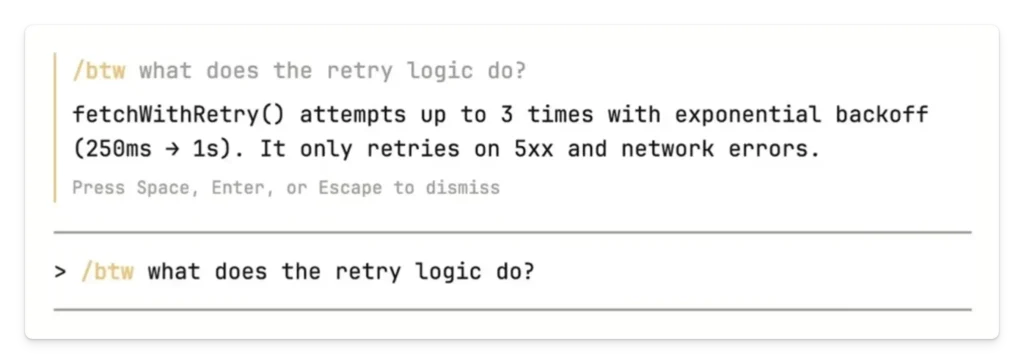
Claude responds in a small overlay without affecting your main session. Your ongoing task continues without disruption.
This removes one of the most common sources of friction. Instead of breaking your focus, you can resolve small questions instantly and keep moving forward.
2. /loop Introduces Simple Automation Inside Sessions
Claude can now run prompts on a schedule using the /loop command. You may schedule it to run tasks after every few minutes or hours.
As an example, you may request it to check builds, scan logs or to review dependencies on a regular basis.
This gives you the opportunity to automate tasks that occur frequently without you going out of your coding environment. Claude does not run checks manually, but in the background.
There is a limitation. These tasks expire after 72 hours and stop when the session ends. Even with that constraint, it is a useful way to reduce repetitive work during active sessions.
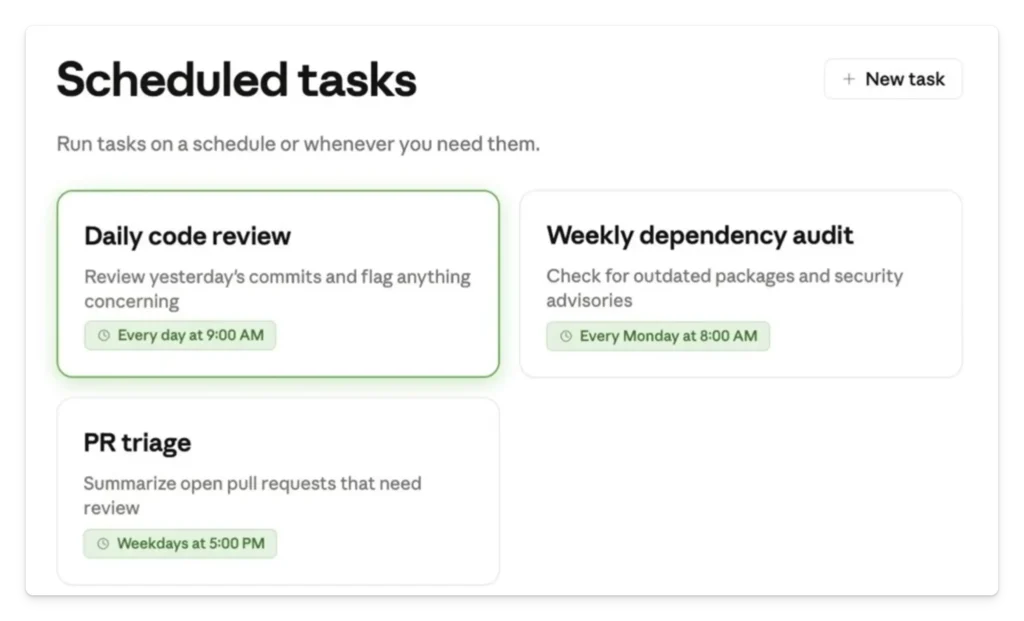
3. Desktop Scheduled Tasks Bring Persistent Automation
While /loop works within a session, desktop scheduled tasks go further. They continue running even when your session is closed.
As long as your system is active, Claude keeps executing tasks.
This opens the door to daily workflows such as code reviews, project summaries, and recurring checks. You no longer need to trigger these manually.
This is where Claude starts acting less like a tool and more like a system that supports your work continuously.
4. Telegram Integration Makes Outputs Actionable
Automation only matters if you see the results in time. Claude now integrates with Telegram so you can receive outputs directly on your phone.
You can connect a bot, configure credentials, and route task outputs to Telegram.
This is useful for alerts, summaries, and reports. Instead of checking dashboards or logs manually, you get notified instantly.
For teams, this makes a big difference. Information reaches people where they are already active, which reduces delays and improves response time.
5. Smarter Memory Improves Accuracy and Consistency
Claude has been upgraded to have a memory system where the information is stored in an organized manner. Now it documents what a rule is, why it is important and how it should be used.
This modification renders memory more credible and convenient to utilize.
Practically, it makes the situation less repetitive and assists Claude to implement the past instructions more correctly. After some time, it begins to behave more like a partner, one that knows what you like.
6. Voice Mode Speeds Up Thinking and Communication
Voice input has become accessible to everyone. You are able to activate it, speak your input and have it responded.
This is particularly handy to those who can think more rapidly than they can type. It enables you to describe things, get through code or discuss issues more freely.
Voice interaction changes how you approach complex tasks. Instead of carefully typing every detail, you can express your thoughts in a more fluid way.
7. Excel and PowerPoint Now Share Context
Claude now maintains context across Excel and PowerPoint. When switching tools, you do not have to repeat the information.
You can process data that is located in a spreadsheet then create a presentation without having to start with a blank sheet.
It comes in handy when dealing with reports, dashboards, or business presentations. It eliminates unnecessary processes and accelerates the process of analysis-communication.
8. Skills Creator Now Supports Testing and Benchmarking
Skills have become more reliable with the addition of testing and benchmarking features.
You can now evaluate outputs, compare results, and detect issues before they affect your workflow.
This is important for building repeatable processes. Instead of relying on one time outputs, you can create systems that produce consistent results over time.
It also helps catch edge cases and maintain quality as workflows evolve.
9. Claude API Skill Provides Built In Guidance
Claude can now guide you through its own API directly within your session.
You can ask questions about features like prompt caching, effort controls, and tool usage without leaving your environment.
This reduces the need to search through documentation. You get answers that are relevant to your current context, which saves time and keeps you focused.
10. Effort Levels Give You Control Over Output
Every session now includes an effort level setting. This determines how much time and computation Claude uses.
Lower levels produce faster results. Higher levels provide deeper analysis.
This allows you to match the level of detail to the task. Simple questions can be handled quickly, while complex problems can receive more attention.
It also helps manage cost and performance more effectively.
11. Multi Agent Code Review Improves Code Quality
Claude is now able to execute a number of agents concurrently to inspect your codebase.
It verifies logical errors, structural and type inconsistencies throughout the project.
This is not substituting human review, but it lessens the possibilities of making blatant errors overlooked. It is a validation feature that comes before an actual review.
In the case of bigger projects, it can save time and enhance the quality of the code.
12. Interactive Charts and Diagrams Add Visual Clarity
Claude can now generate charts and diagrams directly in chat.
This is useful for understanding data, visualizing systems, and explaining concepts.
Although at an early stage, it is an indicator of a more visual approach to AI. You do not have to use text alone and succeed in observing patterns and structures even better.
What You Should Try First
You will not be interested in all features. It is all about what works in your workflow.
Assuming that you write code every day, begin with /btw and /loop. These minimize interruptions and mechanize small tasks.
In case you can control workflows or groups of people, schedule tasks and Telegram integration. These turn Claude into a system that monitors and reports.
If you build repeatable processes, focus on Skills Creator and testing. This helps you create reliable workflows.
If you work with data, use Excel and PowerPoint integration to remove friction between analysis and reporting.
Start small. Pick one or two features and use them consistently.
Conclusion
These updates are not just feature improvements. They represent a shift in how Claude Code is meant to be used.
It is no longer just a tool you interact with occasionally. It is becoming something that runs alongside your work, handles repetitive tasks, and provides ongoing support.
The real advantage comes from changing how you use it. Unless you keep on using it as a mere prompting device, you will be losing out on most of its usefulness.
As soon as you change your workflow, even a little bit, you will begin to notice the difference.
What is Claude Code and how is it different from other AI chat tools?
Claude Code is designed for developers and technical workflows. It works within coding environments and can understand codebases, automate tasks, and maintain context. Unlike general AI tools, it is built to support ongoing workflows rather than just respond to prompts.
Which feature is most useful for developers?
The most useful features for everyday development are /btw and /loop. One helps you stay focused by answering quick questions, while the other reduces repetitive work through automation.
What is the difference between /loop and scheduled tasks?
The /loop command works only during an active session and stops after a limited time. Scheduled activities will keep on going even in the circumstances where the session is closed provided your system is active.
Is Claude automation reliable for critical workflows?
It is reliable for routine tasks such as monitoring and summaries. For critical workflows, it still requires human oversight. The addition of testing improves reliability but does not eliminate risk.
How does the memory system help?
The structured memory system allows Claude to store and apply information more effectively. It reduces repetition and improves consistency across tasks.
Does voice mode actually improve productivity?
The voice mode can also enhance productivity to those who do not like typing but speaking. It allows faster idea expression and more natural problem solving.
Is Telegram integration useful for teams?
Telegram integration is useful because it delivers updates directly to where teams are active. This makes automation more practical and easier to act on.
Are multi agent reviews worth it?
They are valuable for larger projects where catching issues early can save time. They act as an additional layer of review before human input.
How do effort levels affect results?
Effort levels control how deeply Claude processes a task. Higher levels provide more detailed outputs but take more time. Lower levels are faster but less detailed.
Do you need to use all the features?
No. Instead of attempting to use everything simultaneously it is better to embrace a few features that suit your workflow.
